In this article, we are going to explain what is virtual environment in python and why do we need it. Also, we will show you how to set up a virtual environment and introduce basic commands.
This posting is one of a series of tips for developing python following the previous post.
This post was written with reference to the following materials.
What is Virtual-Env & Why Do We Need it?
Python virtual environment is an isolated environment for a Python project. This allows each project can have its own dependencies, regardless of what dependencies every other project has [1].
This provides the advantage of being able to build each development environment for multiple projects on one local PC. For an example, Figure 1. shows how one can manage virtual environments for serveral projects. More specifically, it shows how to manage each python projection for a web app that uses a different version of the Django package.
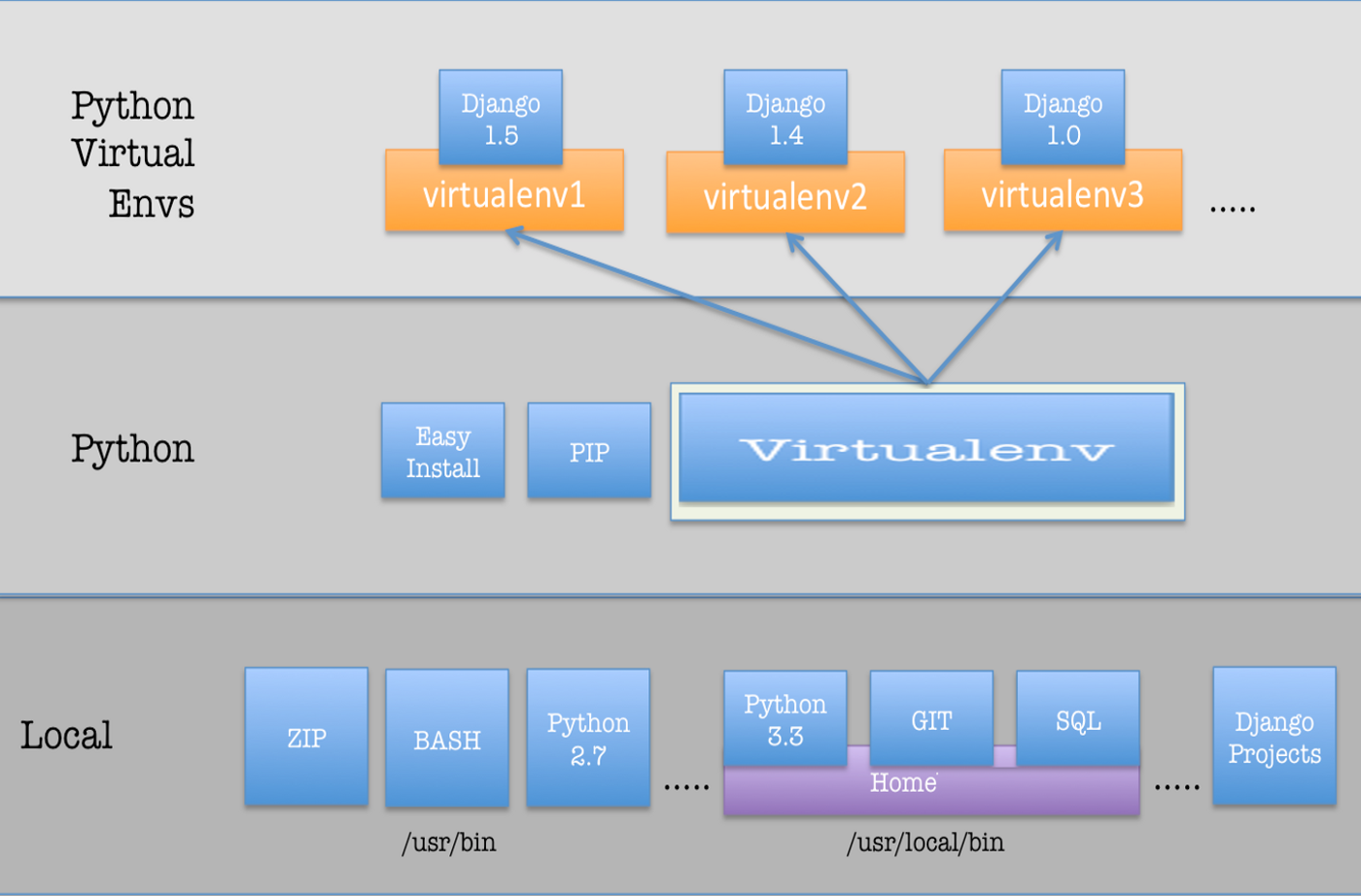
Basic Virtual-Env Usages
There are two ways to set up and manage virtual envoronment, pip and anaconda. In this article, we will explain how to set up and manage virtual envoronment using anaconda.
Anaconda is a package manager, an environment manager, a Python/R data science distribution, and a collection of over 7,500+ open-source packages [3]. Through this, we can set up and manage a virtual emvironment for each projects.
We will introduce basic anaconda usages. For more details, you can refer to the following Documentation or Cheat-Sheet.
We can create a new virtual environment with the following commands and manage packages in the corresponding virtual environment for each project.
- Create a new virtual environmnet
$ conda create --name ENVNAME - Activate a named environment
$ conda activate ENVNAME - Install a package
$ conda install PKGNAME - Deactivate current environment
$ conda deactivate ENVNAME
And, we can clearly provide the dependency for the project to other developers through the following commands.
- Exporting the envname.yml
$ conda env export --name ENVNAME > envname.yml
Finally, we can create a virtual environment that matches the developer’s development environment on our local PC through the envname.yml.
- Creating an environment from an envname.yml
$ conda env create --file envname.yml
Reference
[1] Real Python, “Python Virtual Environments: A Primer,” Real Python, 17-Jul-2020. [Online]. Available: https://realpython.com/python-virtual-environments-a-primer/. [Accessed: 05-Jan-2021].
[2] S. Shakya, “Virtual Environment in Python,” Medium, 02-May-2019. [Online]. Available: https://medium.com/incwell-bootcamp/virtual-environment-in-python-54db665b9939. [Accessed: 05-Jan-2021].
[3] “Anaconda Individual Edition¶,” Anaconda Individual Edition - Anaconda documentation. [Online]. Available: https://docs.anaconda.com/anaconda/. [Accessed: 05-Jan-2021].